
Overview
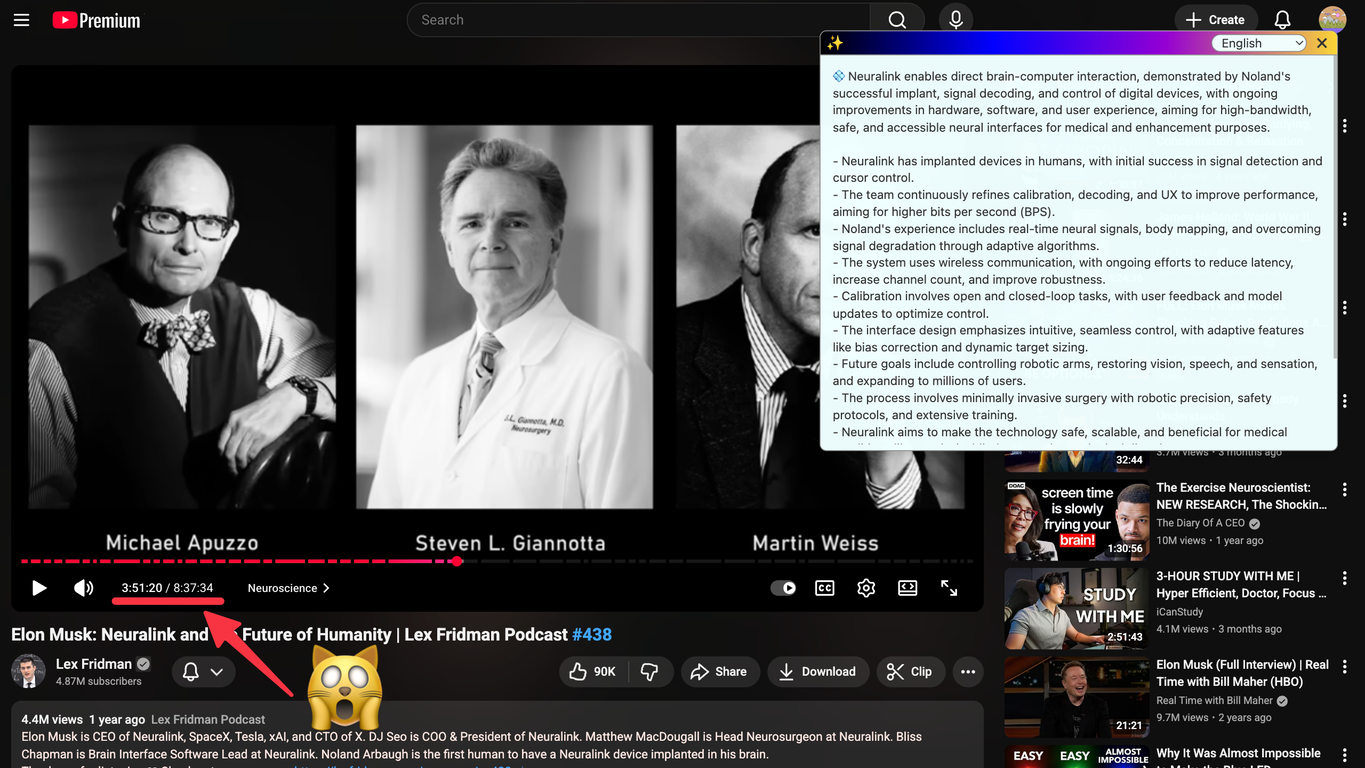
TLDRly is a Chrome extension functioning as an AI Summarizer and Translator for websites and YouTube content. Using the AI engines Claude and ChatGPT, it aims to provide instant, translated, clear and concise summaries of any webpage or YouTube video right within the browser.Its one-click functionality allows users to get overviews of articles, blog posts, research materials or even YouTube videos without the need to copy-paste content.Additionally, it's capable of translating summaries automatically to the user's preferred language. TLDRly can be used to summarise content from diverse sources including news sites, Wikipedia, Substack, online research and YouTube.It emphasizes on reducing the noise and focusing on key facts in the content. Privacy is prioritized, ensuring user data is not sold or used for advertisements.The summaries are generated securely using leading AI APIs. It is particularly suitable for students, researchers, journalists, and professionals aiming to save time while consuming content.Furthermore, it works seamlessly for any webpage and negates the need for copy-pasting, providing users with summaries of lengthy articles, blog posts, academic papers or technical documents.Lastly, the tool also remembers the user's preferred language for future summaries, providing a more customized experience.
Pros and Cons
Pros
- Chrome extension
- Instant summaries
- In-browser summaries
- Single-click activation
- Translates summaries
- Multiple-platform support
Cons
- Only a Chrome extension
- No offline capability
- Dependent on webpage structure
- May misinterpret complex content
- No inter-browser operability
- Limited customization options
Categories
- Primary: Creativity
- Secondary: Text
- Specialty: Summaries
Community Feedback
Only the latest comments are shown.An amazing app, I love the share feature and the comment section summaries
Might as well use Harpa for this, that's free.
Pretty useful