
Overview
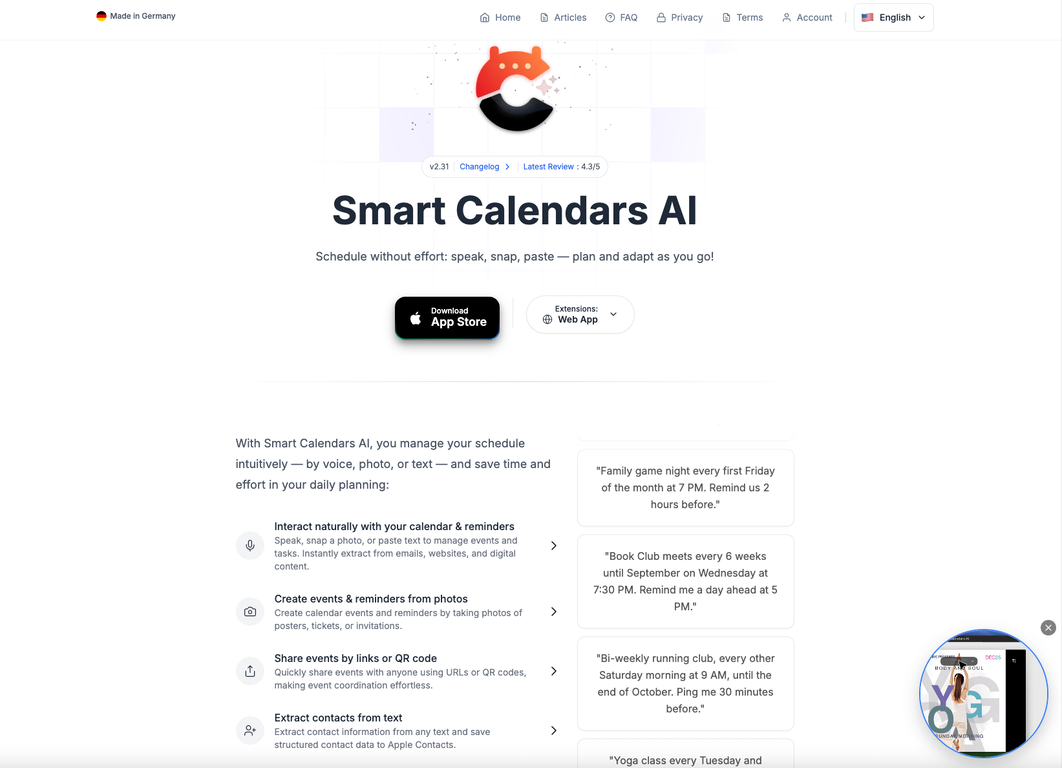
Turn emails, photos, tickets, and ideas into organized events in seconds. SmartCalendars AI is a next-generation, AI-powered calendar and planner that understands natural language, images, and web pages so you spend less time managing your schedule and more time living it.SmartCalendars AI transforms your calendar from a passive planner into an active assistant. Speak, type, paste, or snap a photo and it automatically creates clean, structured events and reminders with times, locations, alerts, and recurrence rules.Built for busy professionals, students, and families, it brings together AI-driven scheduling, task management, smart summaries, and deep calendar integrations in one seamless experience.? Busy professionals managing meetings, deadlines, and travel? Students tracking classes, exams, and projects? Families coordinating school, sports, and social events? Anyone trying to become more productive and better organized? Apple ecosystem users (iPhone, iPad, macOS) and desktop browsers? Capture anything, anywhere Voice, photos, text, and web content instantly become organized events? Save valuable time AI handles recurrences, reminders, and scheduling complexity for you? Stay organized Events, tasks, and reminders live on a unified, smart timeline? Protect your privacy Encrypted, temporary AI processing with zero data retention1. AI-Powered Creation of Events, Reminders & Contacts? Natural language input: Simply say or type,Lunch with Alex next Thursday at 12:30 near the office, remind me 1 hour beforeSummarize my next two weeks.Reschedule my dentist appointment in November to Friday same weekAdd the next soccer games of the FC Bayern Mnchen to my calendar? Photo-to-calendar: Snap posters, tickets, or handwritten notes AI extracts times, dates, and locations to create events.? Smart text recognition: Paste details from emails, chats, or websites to instantly generate events and reminders.2. Unified Calendar, Tasks & Reminders? View events, reminders, and to-dos in a single, cohesive dashboard.? Receive AI-based task suggestions and prioritization to focus on what matters most.? Quickly rearrange your schedule with intuitive drag-and-drop actions.3. Advanced Scheduling? Supports complex recurrence patterns (e.g. every first Friday, every other Tuesday, or limited-time series).? Create multiple or custom alerts (e.g. day-before plus 15-minute reminders).? Timezone-aware scheduling ideal for travel or global collaboration.4. Smart Summaries & Conflict Detection? Daily and weekly summaries keep your schedule clear at a glance.? Can detect scheduling conflicts and accounts for travel time or energy level buffers if you ask it to.5. Sharing & Collaboration? Share events instantly via URL, QR code, or .ics file.? Send event invitations directly to your contacts for seamless coordination.6. Browser Extensions & Multi-Source Capture? Add events directly from emails, tickets, or websites using browser extensions for Chrome, Safari, Firefox, and Edge.? Automatically extracts titles, dates, times, locations, and meeting links no copy-paste of event details required.7. Widgets, Watch Support & Ecosystem? Beautiful home and lock-screen widgets for quick agenda access.? Apple Watch support lets you add or check events by voice while on the go.8. Multilingual AI Scheduling? Works in 80+ languages, including English, German, French, Spanish, Chinese, and more perfect for multilingual and international users.9. Modern UI & Accessibility? Minimal, distraction-free design in both light and dark modes.? Color-coded calendars and integrated weather forecasts for visual clarity.? Flexible day, list and grid views for your preferred planning style.10. Privacy, Security & Compliance? End-to-end encryption for all data in transit and at rest.? Temporary, purpose-bound processing data is used only to create your events and never for model training.? Fully designed for GDPR compliance and user consent transparency.Platform Compatibility? macOS: Optimized for Apple silicon (via iPad app design)? Desktop Browsers: Chrome, Safari, Firefox, Edge (via SmartCalendars AI extensions)
Pros and Cons
Pros
- Free 7-day trial to explore all features
- Works across iPhone, iPad, macOS, and all major desktop browsers
- Color-coded calendars and integrated weather forecasts
- End-to-end encryption and zero data retention
- Multilingual support in 80+ languages
- Browser extensions extract event details in one click
Cons
- Not available on Android devices
- No public API for developer integrations
- Handwritten Text recognition errors
- Advanced features may feel overwhelming to new users
- Requires subscription after free trial
Categories
- Primary: Work
- Secondary: Business
- Specialty: Meetings
Community Feedback
Only the latest comments are shown.Good job dud good job , i wanna try sure
Good job dud good job , i wanna try sure