
Overview
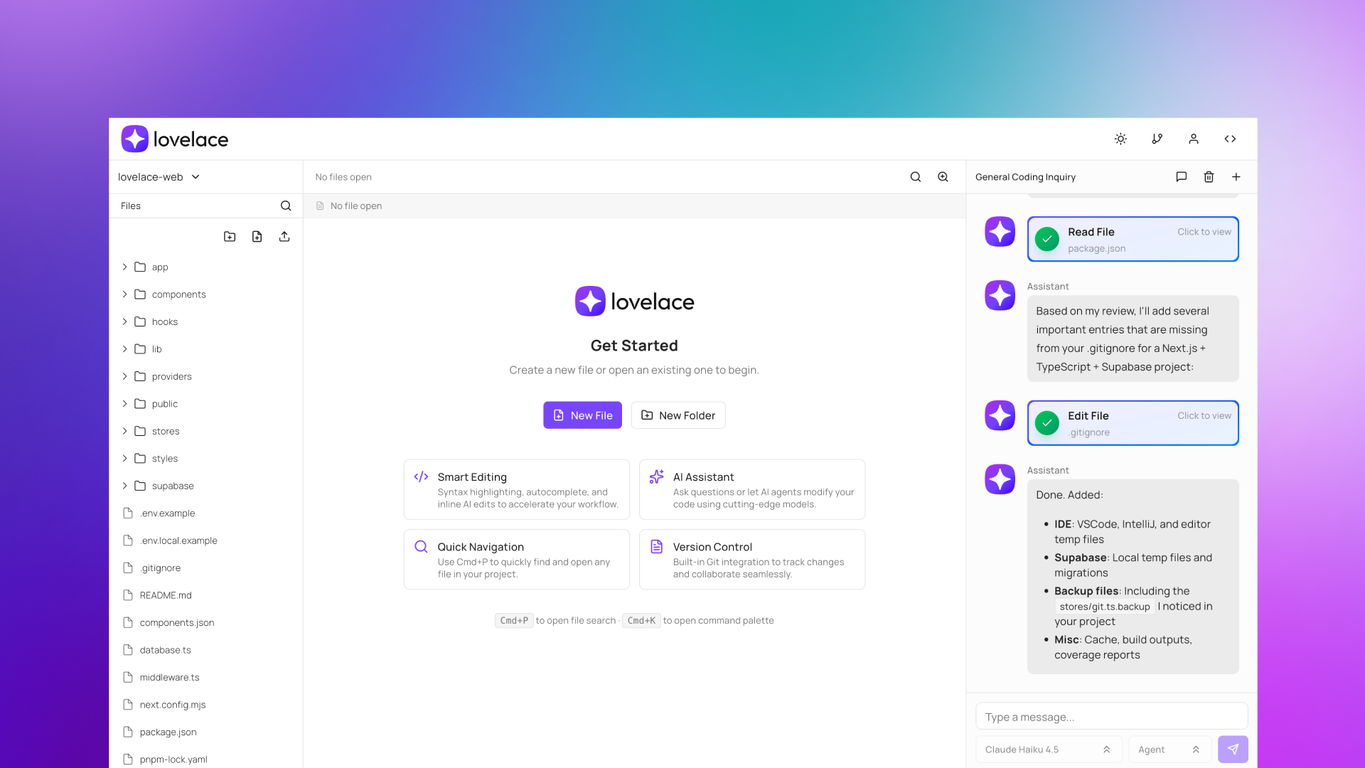
Lovelace is an AI-enabled cloud IDE designed for developers who code from anywhere. It offers features that aim to enhance flexibility and productivity for software engineers working across multiple devices.The tool runs entirely in the browser using pure web technologies (TypeScript + Next.js), eliminating the need for heavy Electron-based applications. Lovelace provides multi-platform and multi-device support, making it accessible from tablets, phones, and any computer with a browser, prioritizing accessibility and performance on lower-spec devices.With Lovelace, developers can work on their projects from any location, making it easier to handle urgent fixes and code reviews without access to their main development machine. The tool provides AI-powered code completion and generation, along with an integrated AI Agent for development support, saving time when working remotely or on the go.Developers can manage multi-file projects with seamless GitHub, GitLab, and Bitbucket integration, without being tied to a single workstation. The cloud-based workspace ensures continuity across devices, whether reviewing PRs during a commute, making quick fixes from a client's office, or prototyping ideas during lunch breaks.One of the key features of Lovelace is its genuine focus on development work rather than "vibe coding." It can help developers stay productive by providing AI-powered assistance for real coding tasks, enabling them to continue development work effortlessly from any device. The platform supports both light and dark modes and includes CLI support for local codebase mirroring currently in testing.Lovelace has been built specifically for the reality that development isn't tied to a single machine anymore. With its responsive design and modern browser APIs, Lovelace aims to offer a flexible coding experience for developers who need to work from wherever they are, reducing the friction between having an idea and being able to act on it immediately.
Pros and Cons
Pros
- Cloud-based IDE
- Runs in browser
- Fully responsive
- Agent and chat (planning) modes
- Multi-model support
- Enhances remote work
Cons
- Lacks offline capabilities
- Reliant on stable internet connection
- No direct integration with other cloud storage services
- CLI support still in testing phase
- Doesn't support native application development
Categories
- Primary: Creativity
- Secondary: Software
- Specialty: Coding
Community Feedback
Only the latest comments are shown.Would rate 4.9 if possible, but rounding up to 5 stars because this app truly excels compared to other AI coding tools.Why 5 Stars:Best-in-class AI coding assistanceHuge improvements over competitorsActually works for real developmentReal Impact:I successfully built and published an actual app using this tool - that's game-changing for non-developers like me.Bottom Line:Yes, there's room for improvement, but this is already the top AI coding app available. The fact that ordinary people can create real apps with it says everything.Perfect for anyone wanting to turn ideas into actual apps!
Cursor is underrated.
>Why is this website so ugly?Our goal is to rapidly make the software better, not to have a shiny website.Love it!