Overview
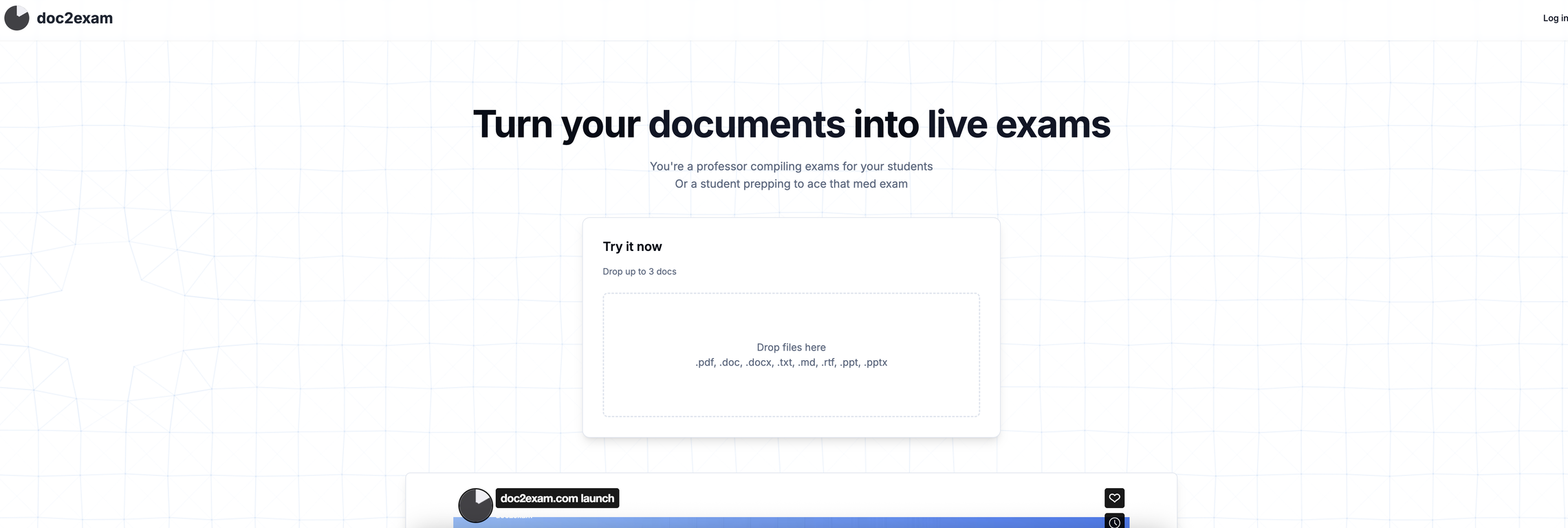
doc2exam is your AI-powered partner for turning static documents into fully interactive examswithin minutes. Whether youre a professor crafting rigorous assessments or a student preparing for high-stakes certification exams, doc2exam streamlines your workflow from prep to evaluation.Simply upload up to three documents in formats like .pdf, .docx, .txt, .pptx, and more. Our smart system then applies advanced generative AI alongside tested heuristics to extract meaningful content and build a well-balanced, question-rich exam. Expect accurate distributions of multiple choice, true/false, and free-text questions, all tailored to your source material.doc2exam doesnt stop at question generation. It offers automatic scoring, delivering instant feedback on open-ended responses with intelligent analysis. The interface is built for extreme simplicityno setup, no complex steps. Just upload and go.But ease doesnt mean compromise. Designed with high academic and professional standards in mind, doc2exam is built to support real-world exam creation, training certifications, and serious test prep scenarios. Anything less than exceptional gets refinedcontinuously.
Pros and Cons
Pros
- Interactive learning tool
- Transforms material to exams
- Automated practice exam setup
- Eases certification process
- Automation replaces manual tasks
- Efficient ongoing test administration
Cons
- Lack of offline functionality
- May oversimplify complex topics
- No support for non-traditional exam formats
- Quality depends on input materials
- No functionality for live tutoring
- One-way student-teacher interaction
Categories
- Primary: Personal
- Secondary: Education
- Specialty: School
Community Feedback
Only the latest comments are shown.Imported my doc and it generated a solid exam,great for studying. Simple to use and the questions matched the material well. Would be nice to tweak difficulty or get deeper explanations, but overall definitely helpful.
thanks! noted, difficulty slider definitely a useful additionby deeper explanations you mean the ones in post-exam scoring?
not working the use tool section its not opening